Case study, software
Rowszein’s Delight
A business system for a dessert shop, where every sale takes the right amount of each ingredient out of stock and every product knows what it costs to make.
- What it is
- Personal project, built for a dessert shop’s daily operations
- My part
- Product design, front end, API and database
- Built with
- React, TypeScript and Vite; Django REST Framework; PostgreSQL
- Where it stands
- In development: pre-launch hardening done, not yet declared production-ready
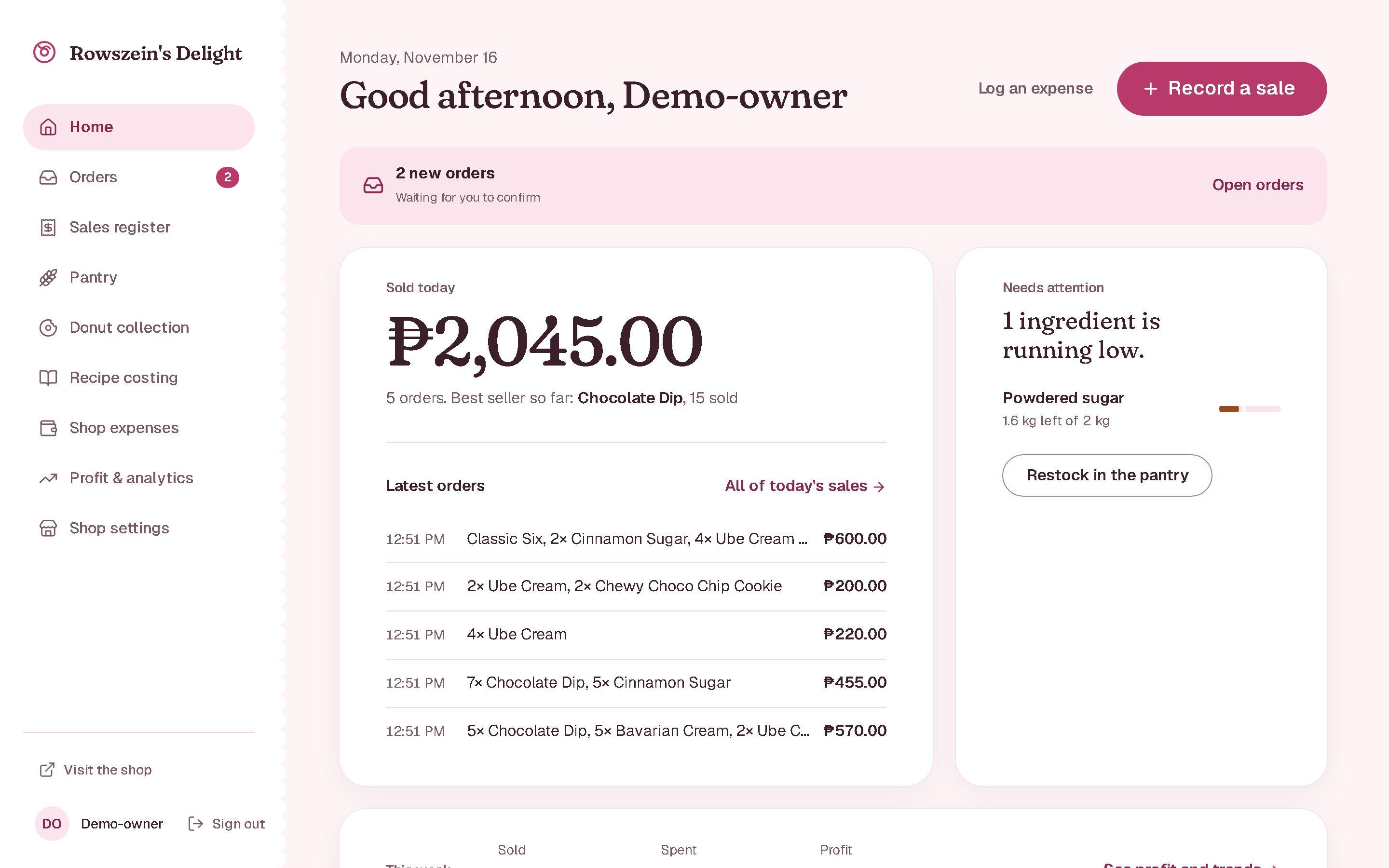 Demonstration data
Flour by the kilo, cake by the slice
A dessert shop buys its ingredients by weight and sells its products by the piece. Between the two sits a recipe, and that is where the numbers usually get lost: how much stock is left after today’s orders, what one slice really costs to make, and which products earn their place on the menu.
Rowszein’s Delight connects the three. A product has a recipe; a recipe lists its ingredients for one batch and how many pieces the batch yields; and a recorded sale works backwards through the recipe to take exactly what was used out of stock. Costs and margins come from the same numbers, so they cannot drift apart.
What the owner works with
Beyond the dashboard, ten screens cover the routine: orders and selling, stock and costing, money, and the shop itself. The note under each one says what the code does behind it.
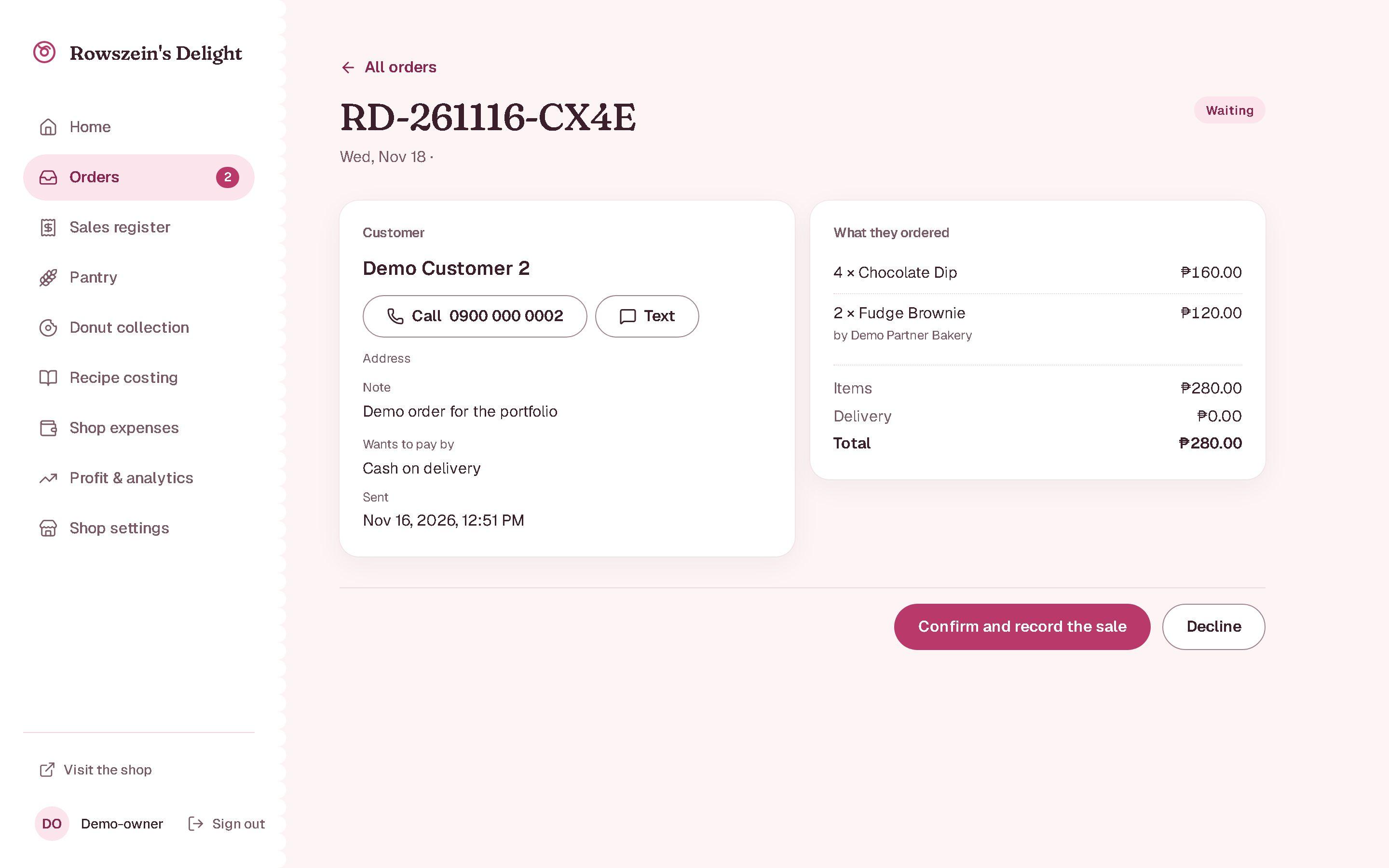
Take orders online
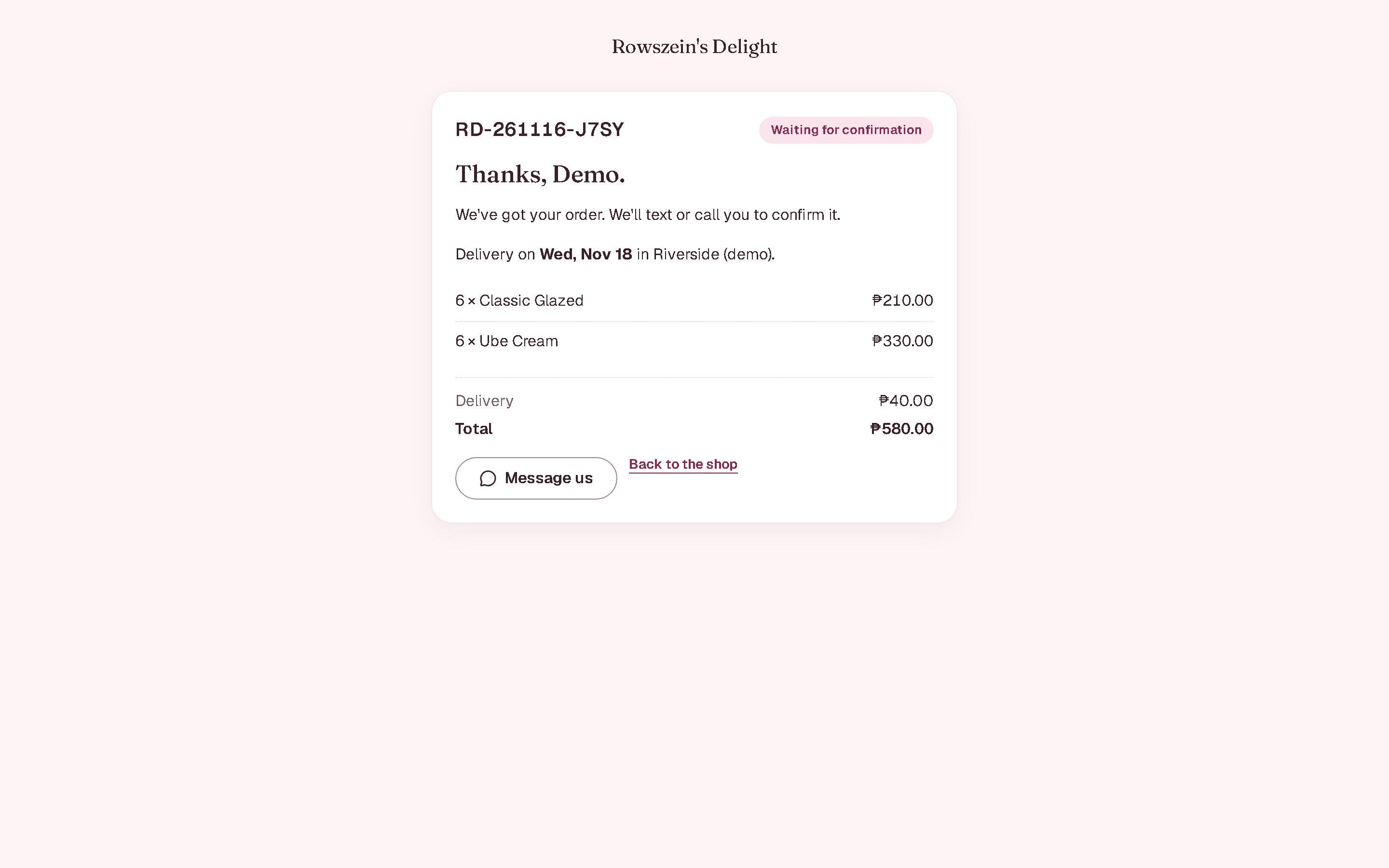
Customers fill a box or pick donuts in the shop, choose delivery or a meet-up, and the order waits here for a yes or no.
Confirming runs the same sale service as the till, with an idempotency key fixed per order, so a repeated confirm can never record a second sale. Declining sends the customer a short reason on their order page.
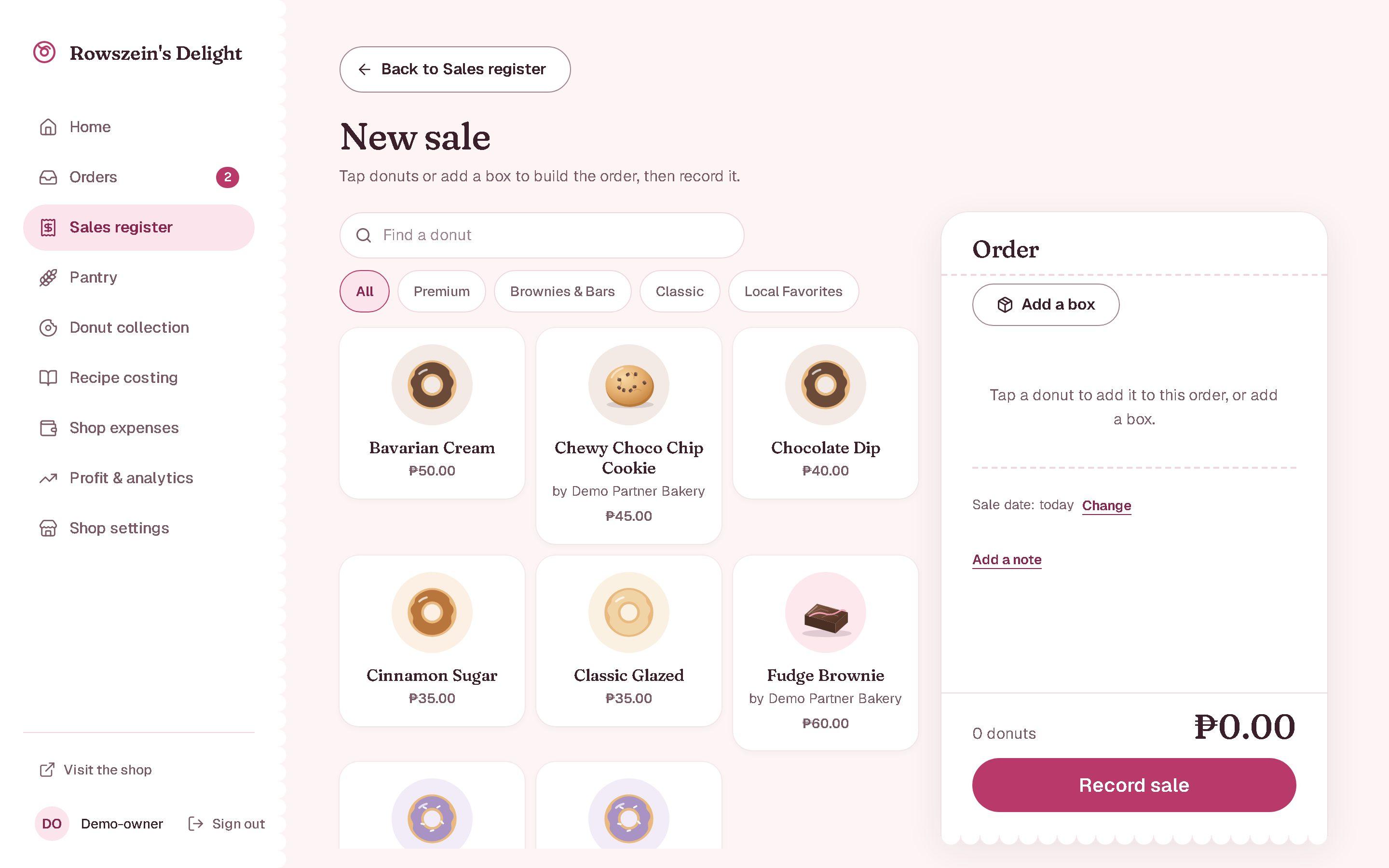
Record a sale in seconds
Tap donuts or add a box; prices come from the collection and the total updates as you go.
Saving a sale takes every ingredient out of stock using each product’s recipe, in one database transaction. Editing or cancelling a sale reverses what it used and posts an adjustment, so stock and reports agree.
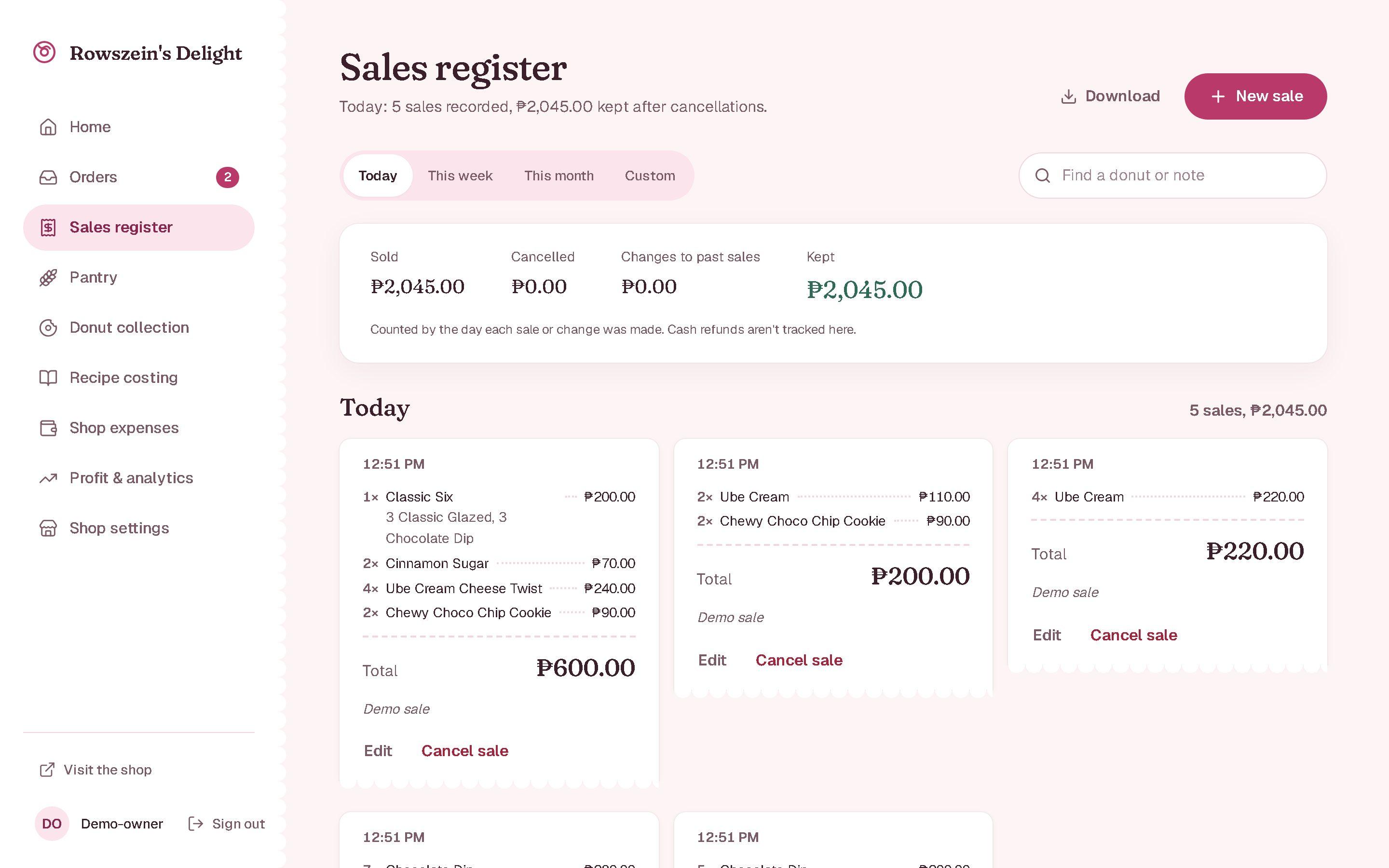
Review every sale
Sales are grouped by day with their items and totals, and can be searched and filtered by date.
The totals under the list come from the posted ledger entries. Gross sales, adjustments and cancellations are reported separately, so an edited sale never silently rewrites an earlier day.
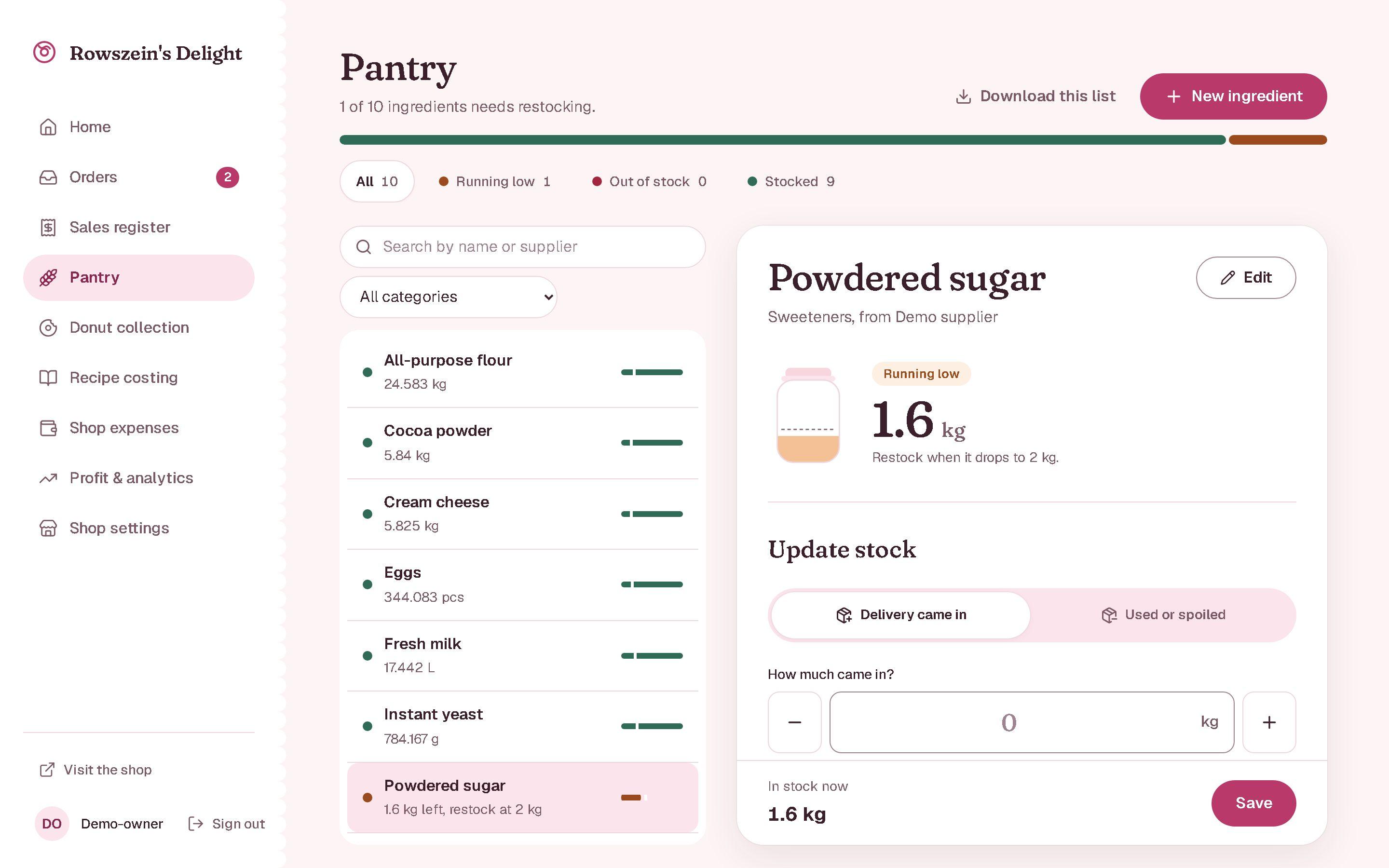
Know what is running low
Every ingredient shows its stock against a restock level, so reordering is never a guess.
An ingredient is flagged when its quantity reaches its minimum. Deliveries and spoilage are recorded as stock adjustments with a reason, never by overwriting the number.
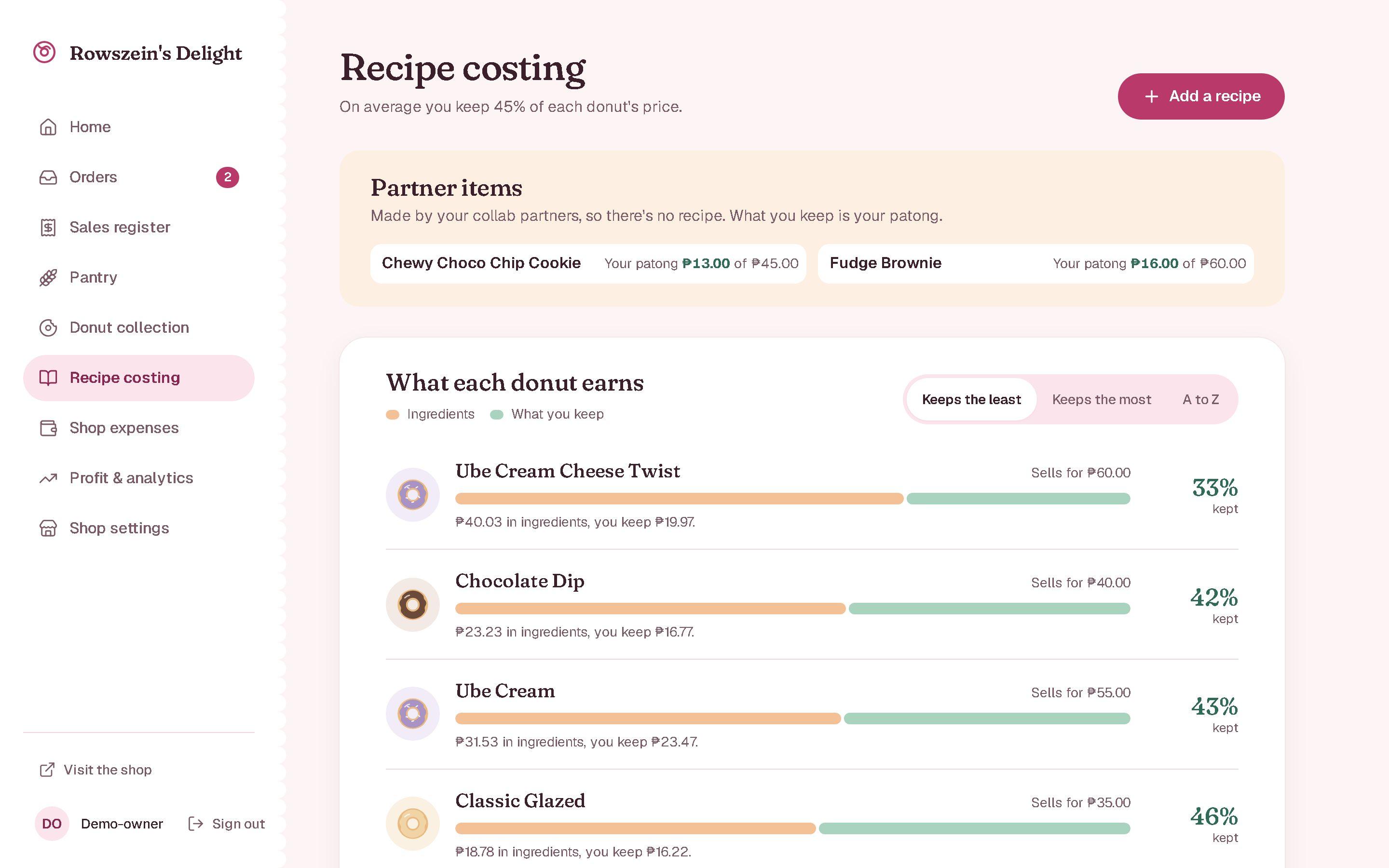
Cost every recipe
Each donut’s recipe turns ingredient prices into a cost per piece and what the shop keeps.
Batch cost is the sum of each ingredient’s quantity times its cost per unit; cost per piece divides that by the recipe’s yield.
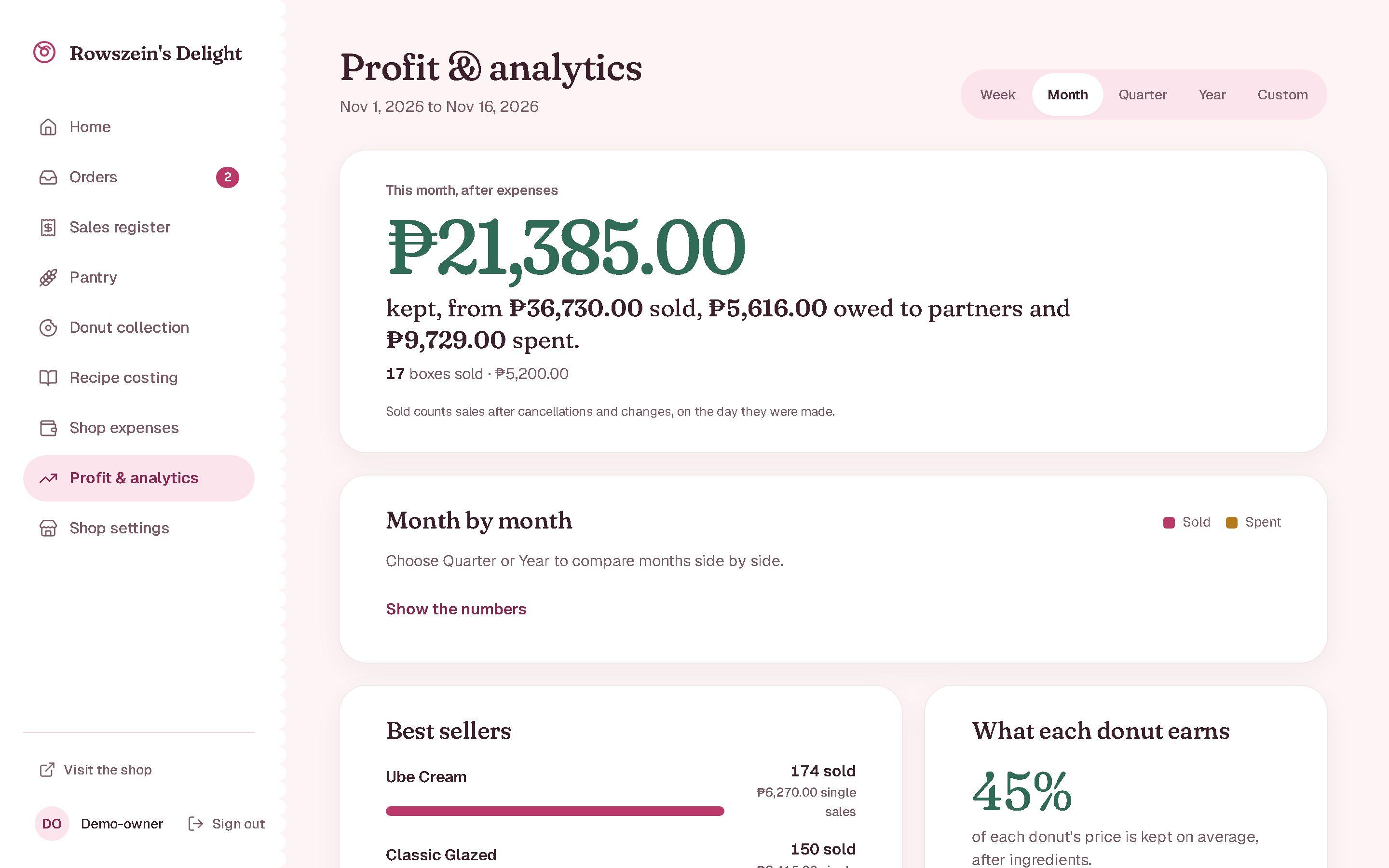
See what the shop keeps
Sales, what is owed to partners and what was spent, for any period, with best sellers and what each donut earns.
Profit is net sales minus partner payouts and expenses. Sold counts include cancellations and changes on the day they were made, so an edit never rewrites an earlier day.
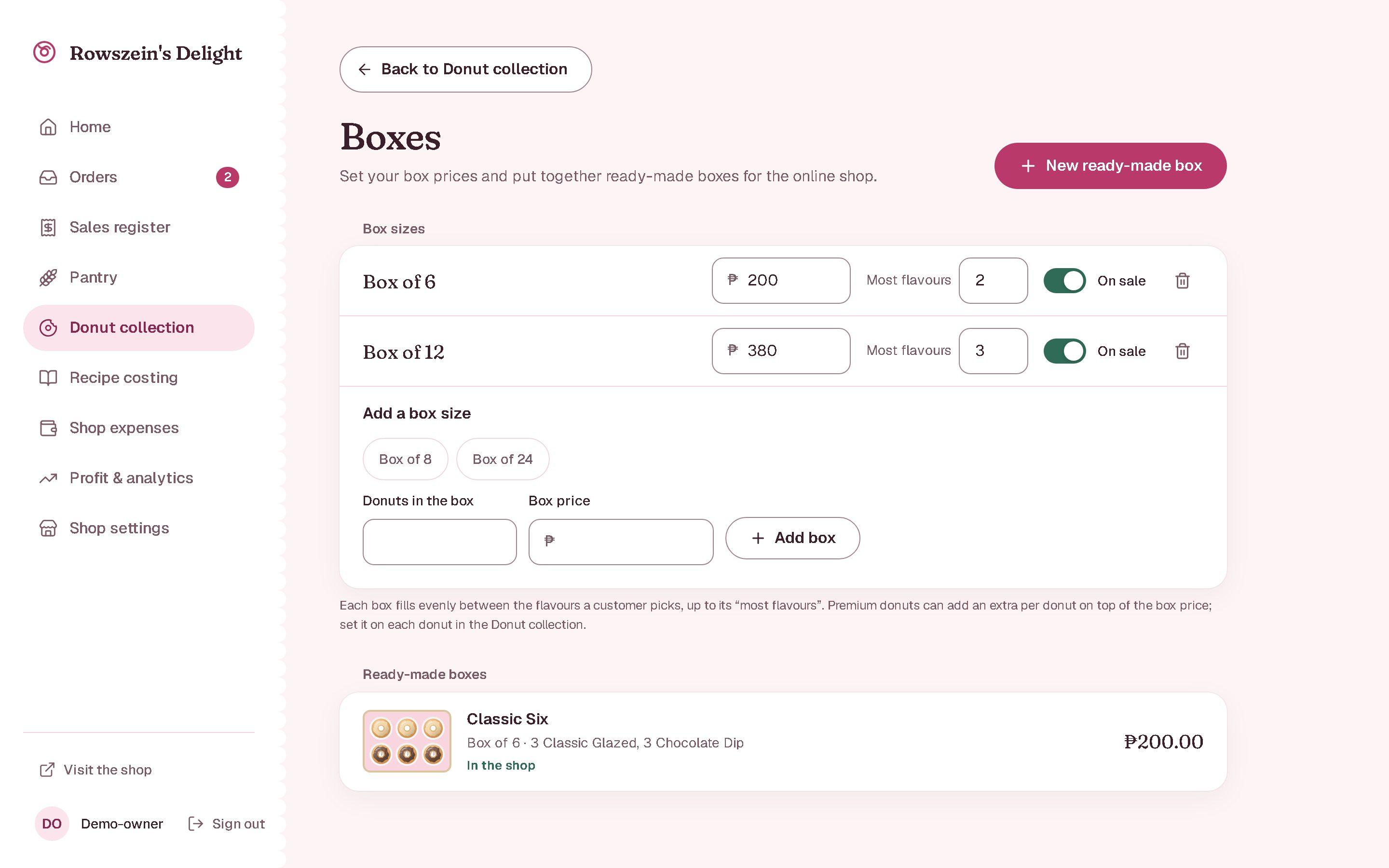
Sell boxes and partner items
Set box sizes and ready-made boxes, and sell a partner bakery’s items at their price plus the shop’s margin.
A box fills evenly between the flavours a customer picks, up to its flavour limit. Partner items carry their own payout, and what is owed is totalled per period.
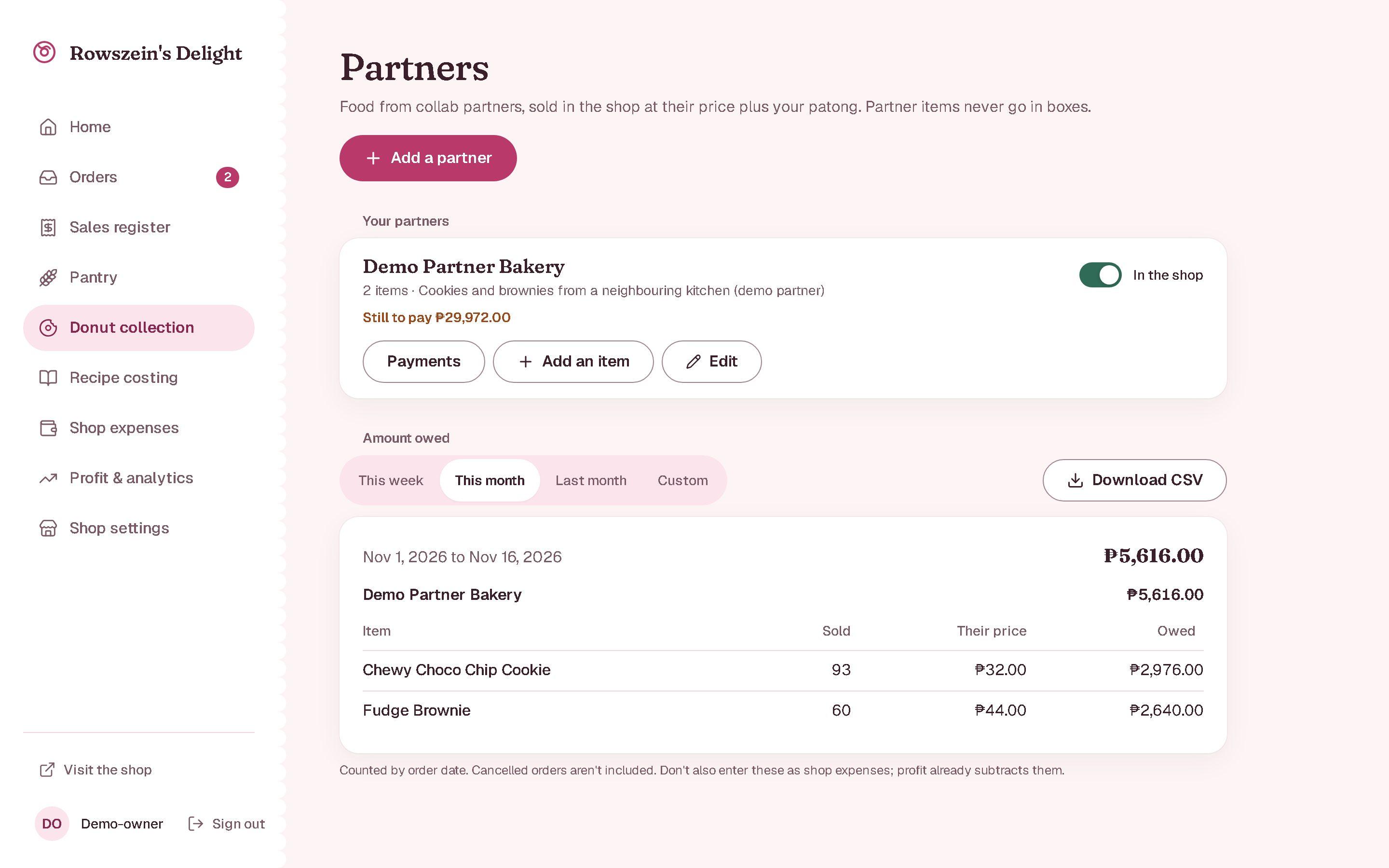
Pay partners what they are owed
Each partner’s items, how many sold, and what the shop still owes them for any period, ready to download.
Payouts are recorded against the partner and can be voided with a reason, so the amount still owed is always computed, never typed in.
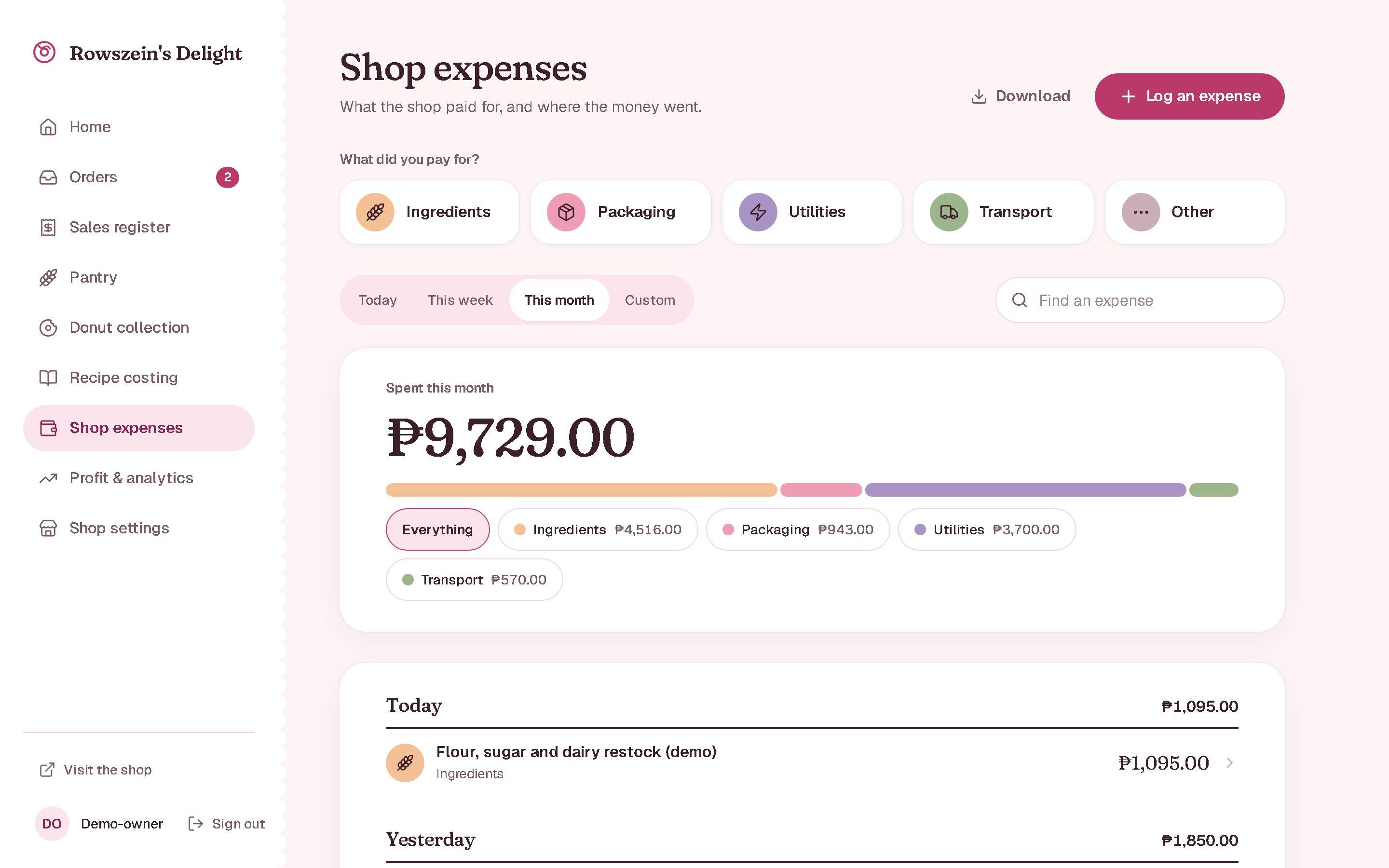
Track where the money goes
Expenses by category and day, with search, date filters and export.
Expenses export as CSV or PDF, and together with sales they feed the profit figures on the dashboard.
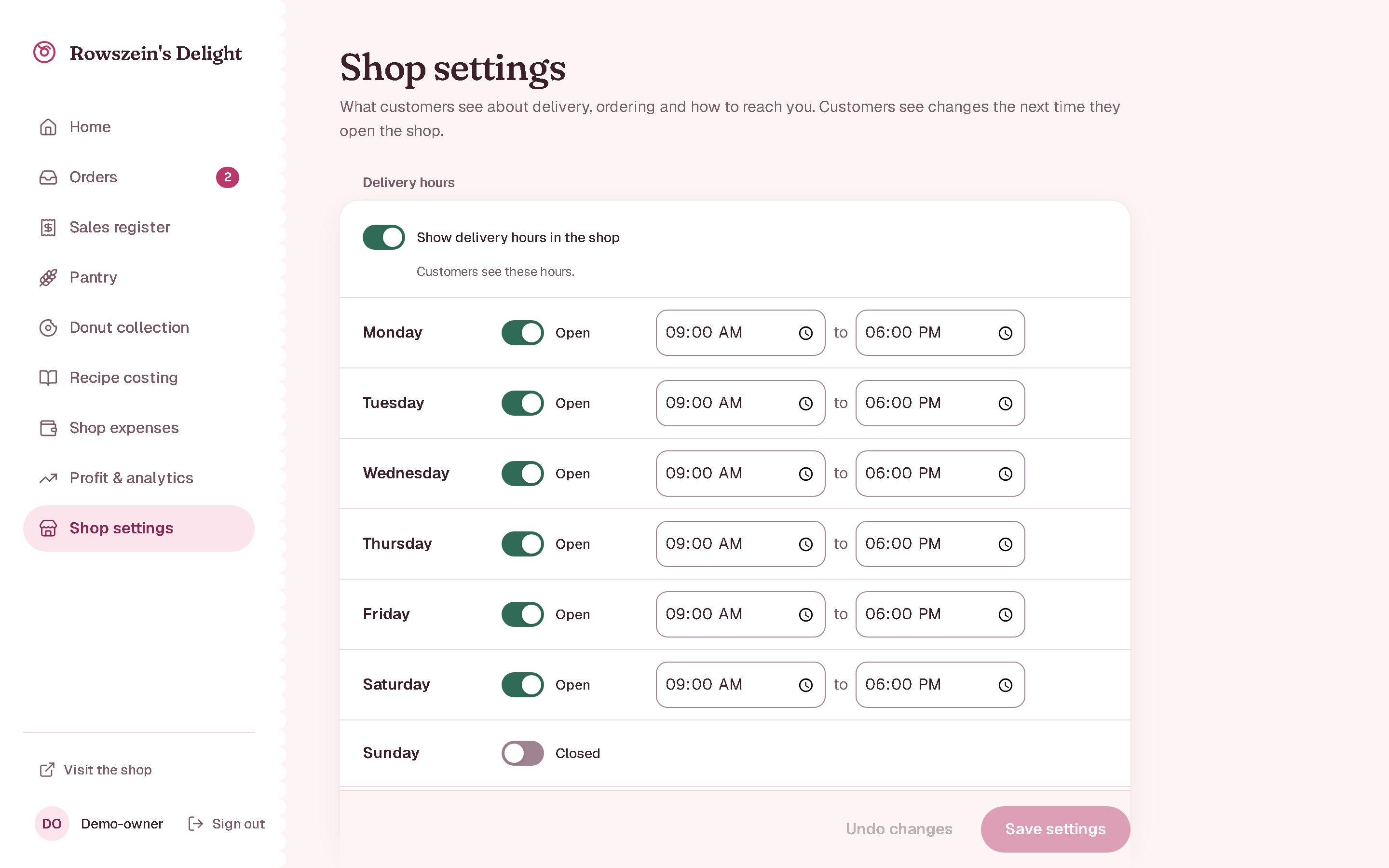
Run the shop from one page
Delivery hours, towns and fees, meet-up places, notices and a pause switch, changed without touching code.
Shop settings are one revisioned record; customers see a change the next time they open the shop.
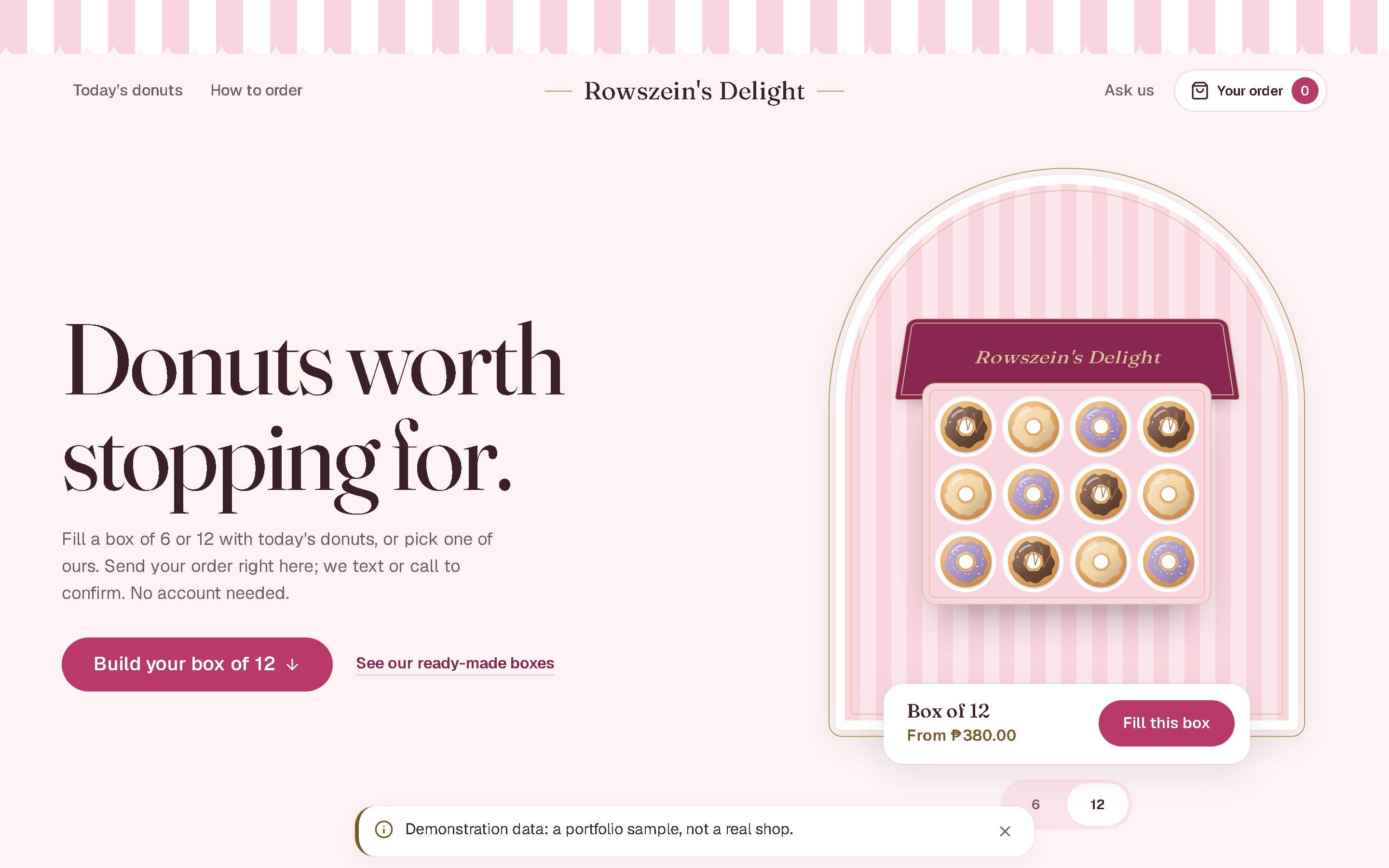
What customers see
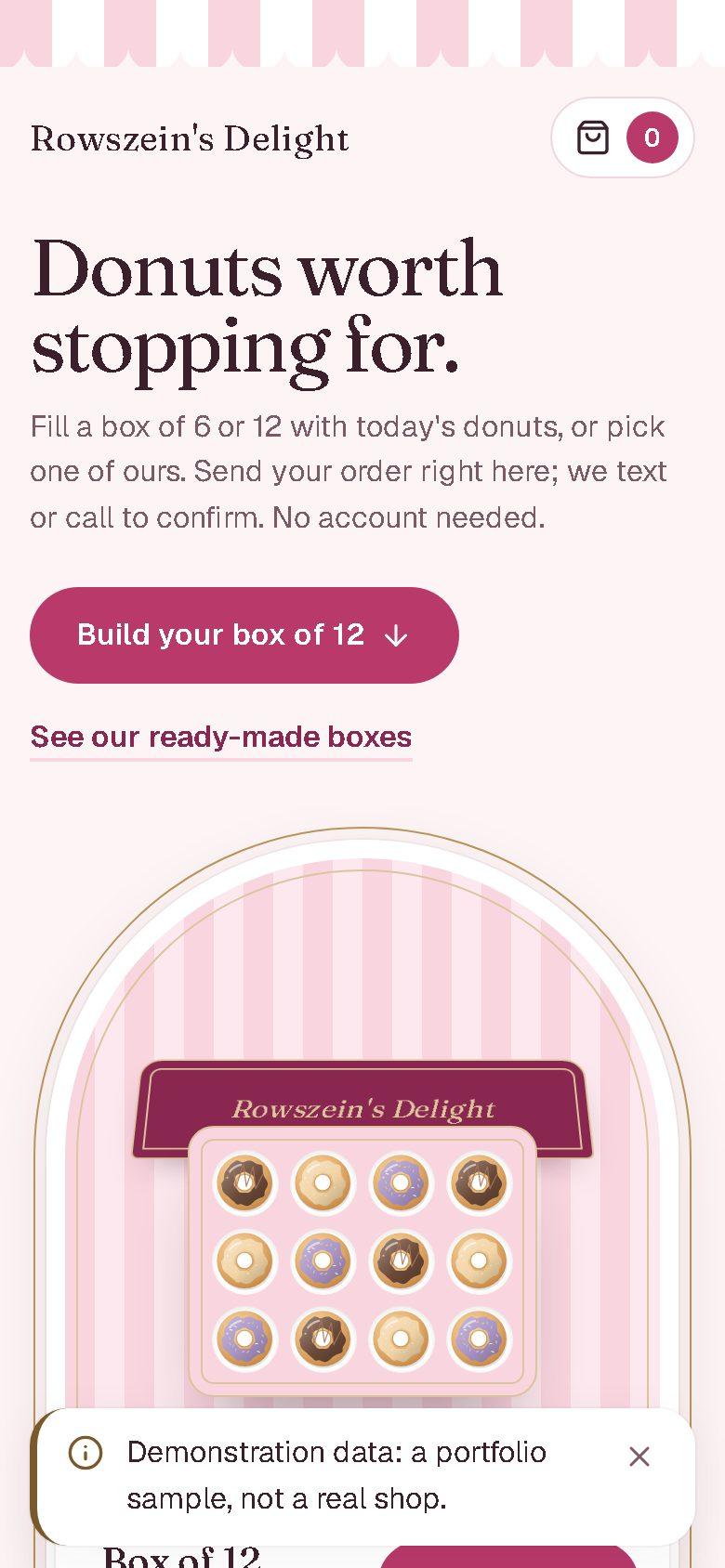
The same system runs the public shop, so an order placed on a phone lands in the owner’s Orders screen.
Following one sale through the system
Recording a sale is the one action that touches stock, money and history at the same time. A dropped connection, a double tap or two tills selling the last slice must not leave those three disagreeing. This is how the server makes sure they never do.
The sale leaves the till with a name
Before sending, the browser gives the request a random ID in an Idempotency-Key header. Edits and cancellations also send the revision of the sale they were based on.
- In the browser, before the server
Covered by
test_invalid_creation_and_missing_identity_write_nothingCheck who is asking, and whether this already happened
Inside a single database transaction the server checks the user’s role and signed-in device, then looks the ID up. The same ID with the same contents replays the stored response instead of selling twice. The same ID with different contents is refused.
- Read:
InventoryOperation
Covered by
test_successful_retry_replays_once_and_conflicting_payload_is_rejected- Read:
Lock everything the sale will touch
The products, their ingredients and the recipe snapshots are locked for update, always in the same order. Two tills selling the last slice at once queue up behind each other, and one of them is told there is not enough stock.
- Locked:
Product - Locked:
Ingredient - Locked:
ConsumptionBasis
Covered by
test_competing_last_stock_sales- Locked:
Work out every new balance before writing anything
Each product’s recipe, including the donuts inside any boxes, becomes grams and millilitres of ingredients, and every resulting stock level is calculated and validated first. If any ingredient would go below zero, the request fails with nothing written.
- Locked:
Product - Read:
Recipe - Locked:
Ingredient - Locked:
ConsumptionBasis
Covered by
test_insufficient_stock_rolls_back_all_records- Locked:
Write the sale and its paper trail
The sale and its lines are saved, each partner item keeping the payout it was sold at, with a record of the request, what each recipe consumed, a stock movement for every ingredient with the balance after it, and a financial entry for the amount.
- Written:
Ingredient - Written:
Sale - Written:
SaleItem - Written:
InventoryOperation - Written:
ConsumptionBasis - Written:
SaleConsumption - Written:
StockMovement - Written:
SaleFinancialEntry - Locked:
Product - Read:
Recipe
Covered by
test_failures_at_each_write_boundary_roll_back_the_entire_creation- Written:
Commit it all, or leave no trace
Everything commits together. An error at any point rolls the whole transaction back. Later edits never rewrite the original: they reverse what was used and post an adjustment, so the history still adds up.
- Written:
Ingredient - Written:
Sale - Written:
SaleItem - Written:
InventoryOperation - Written:
ConsumptionBasis - Written:
SaleConsumption - Written:
StockMovement - Written:
SaleFinancialEntry
Covered by
test_edits_preserve_original_items_and_total_instead_of_rewriting_history- Written:
How it is put together
1. Browser
React 19 single-page app built with Vite. TanStack Query caches server data; forms are validated with Zod.
2. Vercel
Serves the app and the public shop, and forwards every /api request to the backend, so the browser only ever talks to one origin.
3. Render
Django REST Framework, split into apps for accounts, ingredients, products, recipes, sales, expenses and the dashboard.
4. PostgreSQL
The source of truth. Row locks and constraints do the work that must never be left to the browser.
Signing in
Sessions are JSON Web Tokens kept in httpOnly cookies, so scripts on the page cannot read them, and every cookie-authenticated request that changes data must carry a CSRF token.
Each signed-in device has its own server-side session record, and sign-in attempts are rate-limited. The public shop reads the product catalogue without signing in.
Who can do what
Two roles, checked on the server for every request. Each API view declares the permission each action needs, and a view that declares nothing refuses everyone.
| Action | Staff | Owner |
|---|---|---|
| See products and stock levels | Allowed | Allowed |
| Record a sale | Allowed | Allowed |
| See past sales | Allowed | Allowed |
| Edit or cancel a sale | Not allowed | Allowed |
| Export sales | Not allowed | Allowed |
| See and change recipes and their costs | Not allowed | Allowed |
| Change products and ingredients | Not allowed | Allowed |
| Adjust stock by hand | Not allowed | Allowed |
| Record expenses | Not allowed | Allowed |
| See profit and finance reports | Not allowed | Allowed |
How it is tested
The backend has 351 automated tests across every part of the app: sales and stock, online orders, shop settings, accounts, products, recipes, expenses and the dashboard. The sales tests cover the failures that matter most for a shop: a sale that would overdraw stock, a retry after a dropped connection, an edit made from a stale screen, two tills selling the last item at once, and a sale cancelled twice.
I re-ran the suite for this page on 16 November 2026: every test passed, with 17 PostgreSQL-only tests skipped on SQLite. Every push also runs four automatic checks: the backend on SQLite and on a throwaway PostgreSQL, the frontend’s type check, lint and build, and a dependency audit.
What is not done yet
- The project’s README still lists it as in development: production, infrastructure and deployment validation are open gates, so it is not presented as production-ready.
- Pre-launch hardening is merged (HTTPS with HSTS, a Content-Security-Policy, and four automatic checks on every push), but the box screens have not yet been tested end to end with a signed-in owner.
- This case study shows the owner panel at desktop width only.
- The screenshots come from the version published on 16 Nov 2026, running locally with fictional demonstration data.