Case study, web and AI
This site
A portfolio that shows its work: software you can use in the first screen, and an assistant that answers only from what is here.
- What it is
- Personal project
- My part
- Design, copy, code and tests
- Built with
- Next.js 16, React 19 and TypeScript; Upstash Redis, Gemini and Resend; hosted on Vercel
- Where it stands
- Live on saucescode.xyz, updated November 2026
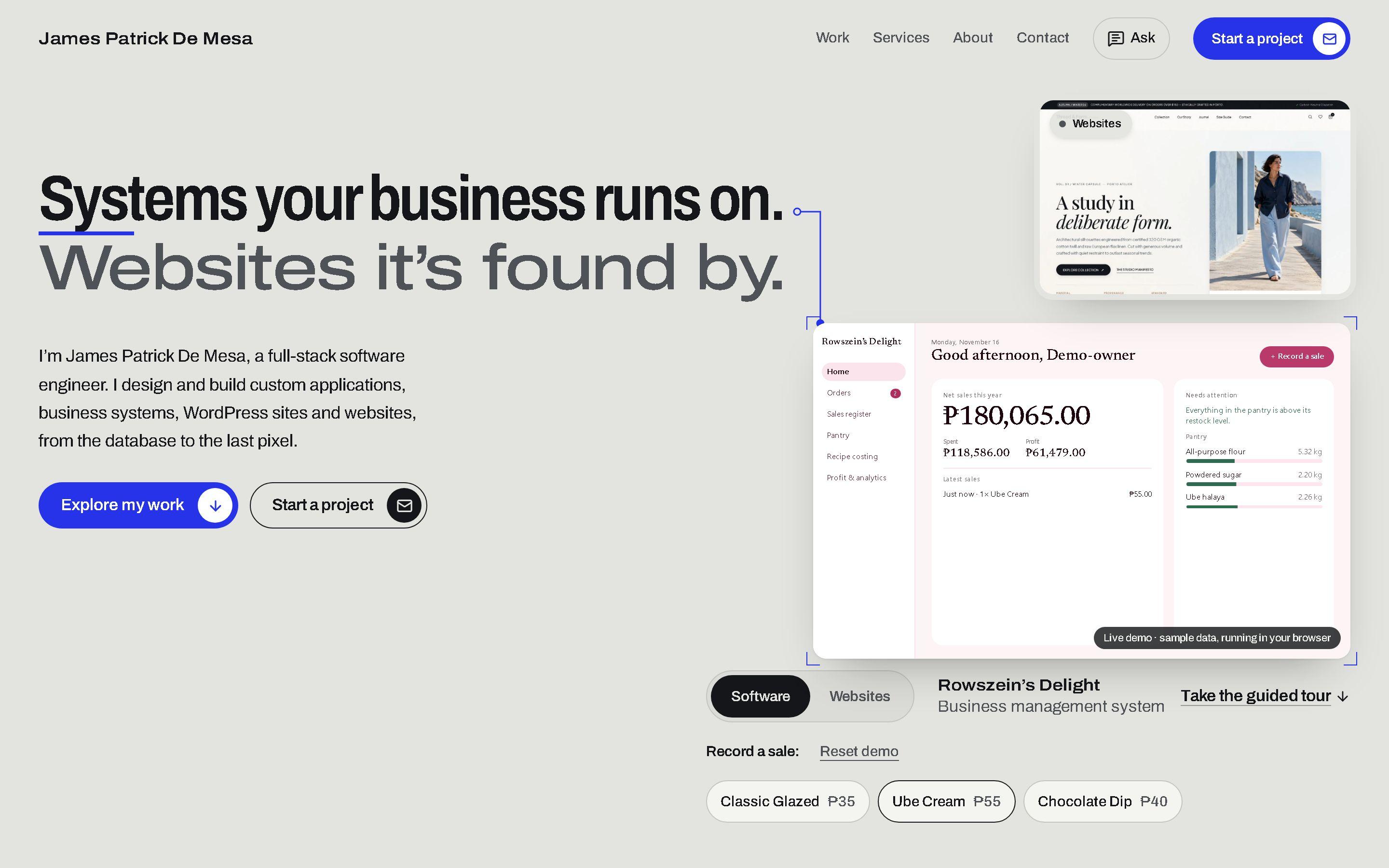
Show it, don’t list it
A portfolio usually tells a client what someone can build. James wanted this one to show it. In his words:
This is what I can build, especially with AI. I want to show people what I can build and what else I can do, and show it already with this portfolio.
So the first screen holds working software instead of a screenshot, the assistant answers questions about the work without inventing prices or clients, and getting in touch works on a laptop with no mail app set up. Each is a small system of its own, and each is something a client might want on their own site.
What a visitor can do
Try the software in the first screen
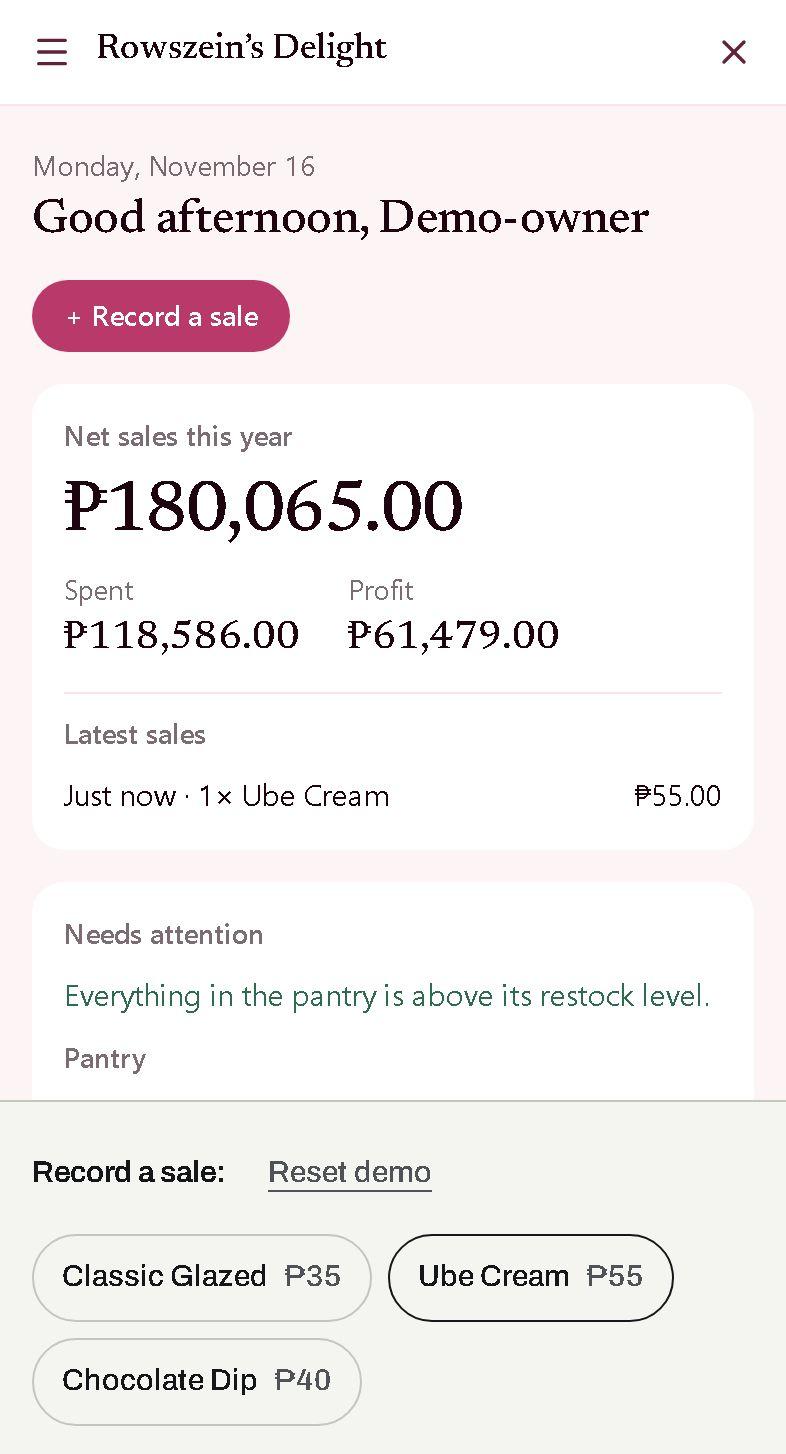
Record a sale in a miniature of the Rowszein’s Delight owner panel, or restyle the Thread & Form storefront. Both run in the browser with sample data. On a phone, the dashboard opens full screen in the app’s own phone layout.
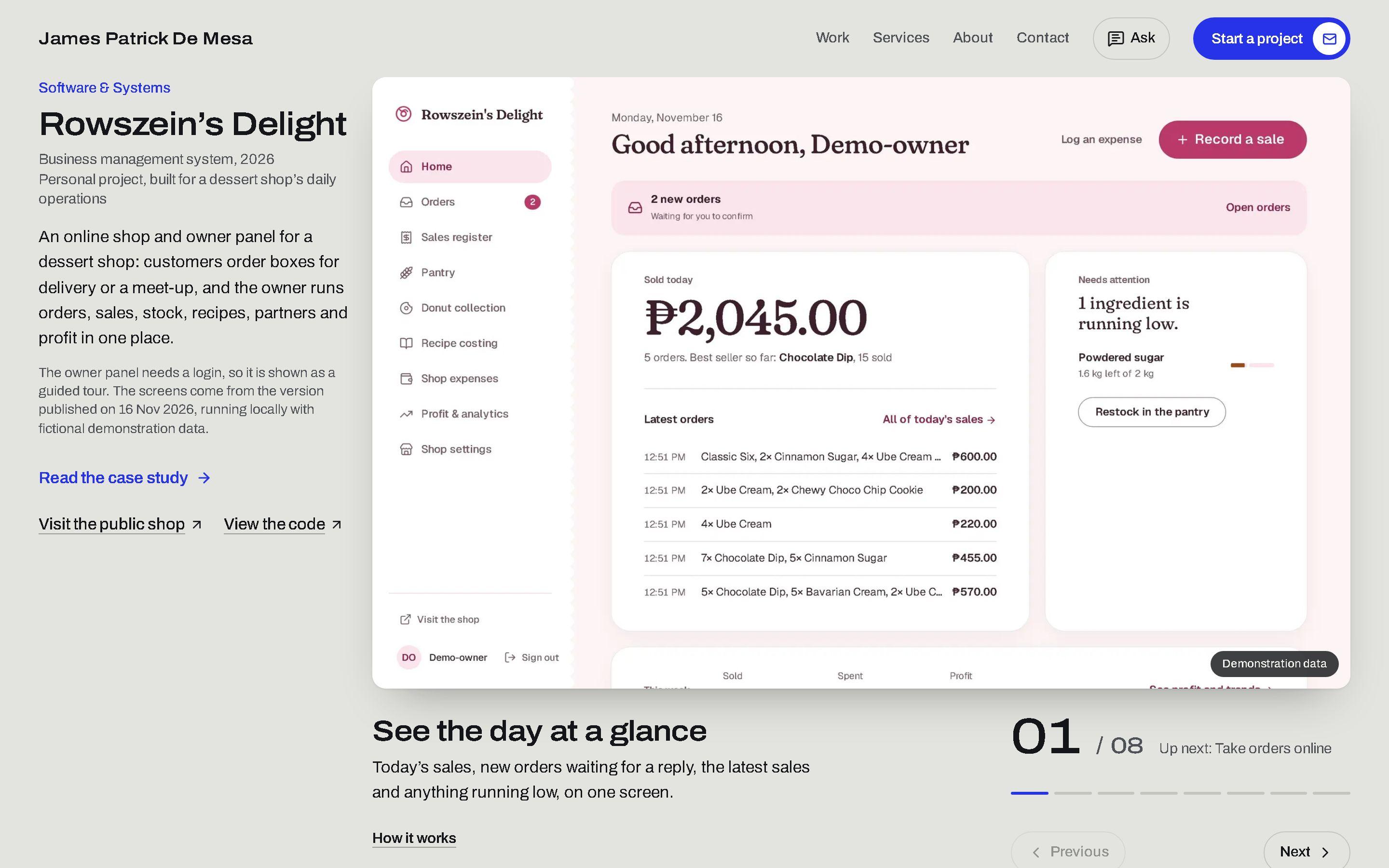
Take the guided tour
Eight screens of the real owner panel, one at a time, captured from the app running with demonstration data.
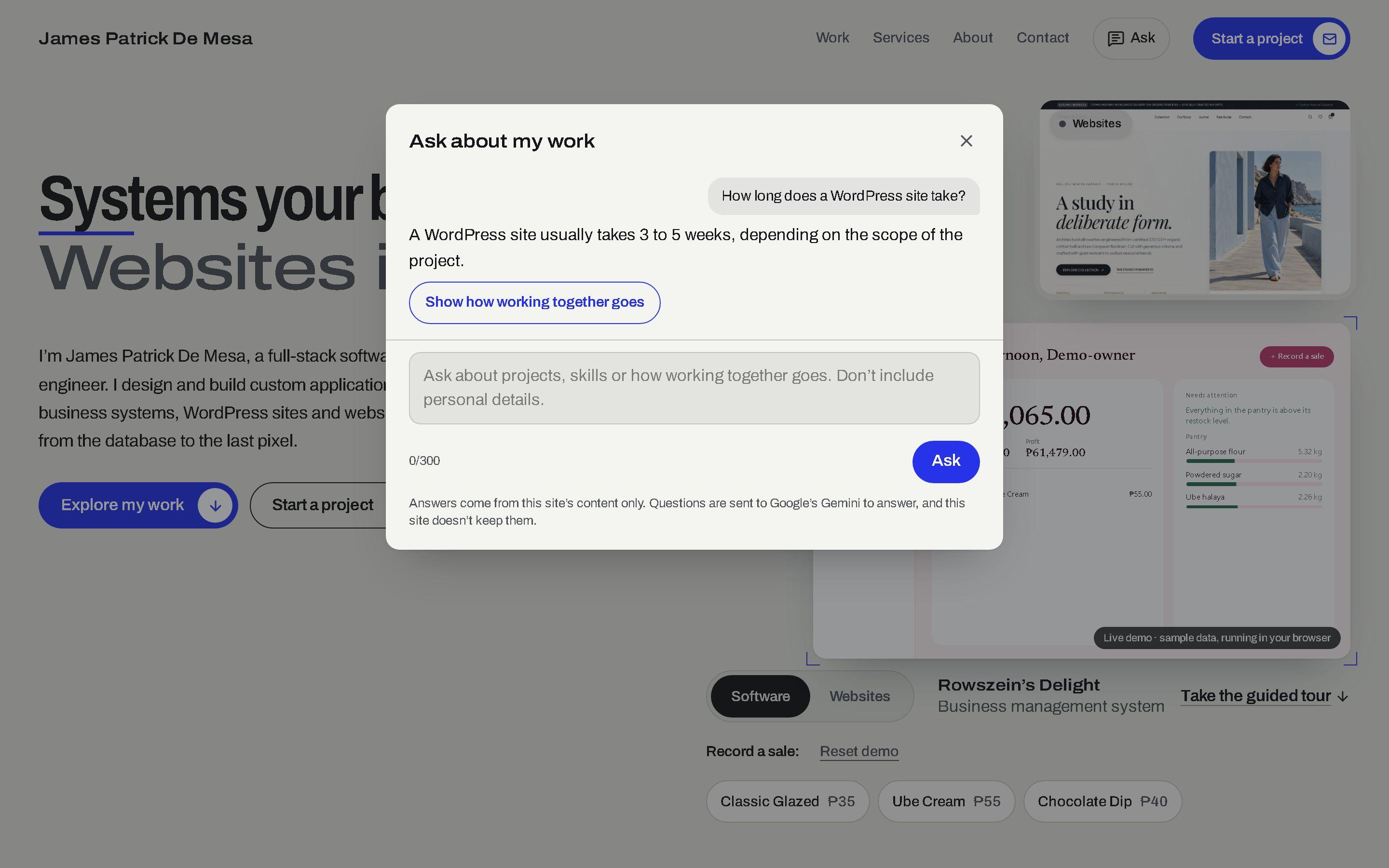
Ask about the work
Ask in plain words, in English or Tagalog. The answer comes only from what is on the site, with buttons that take you to the right section or project.
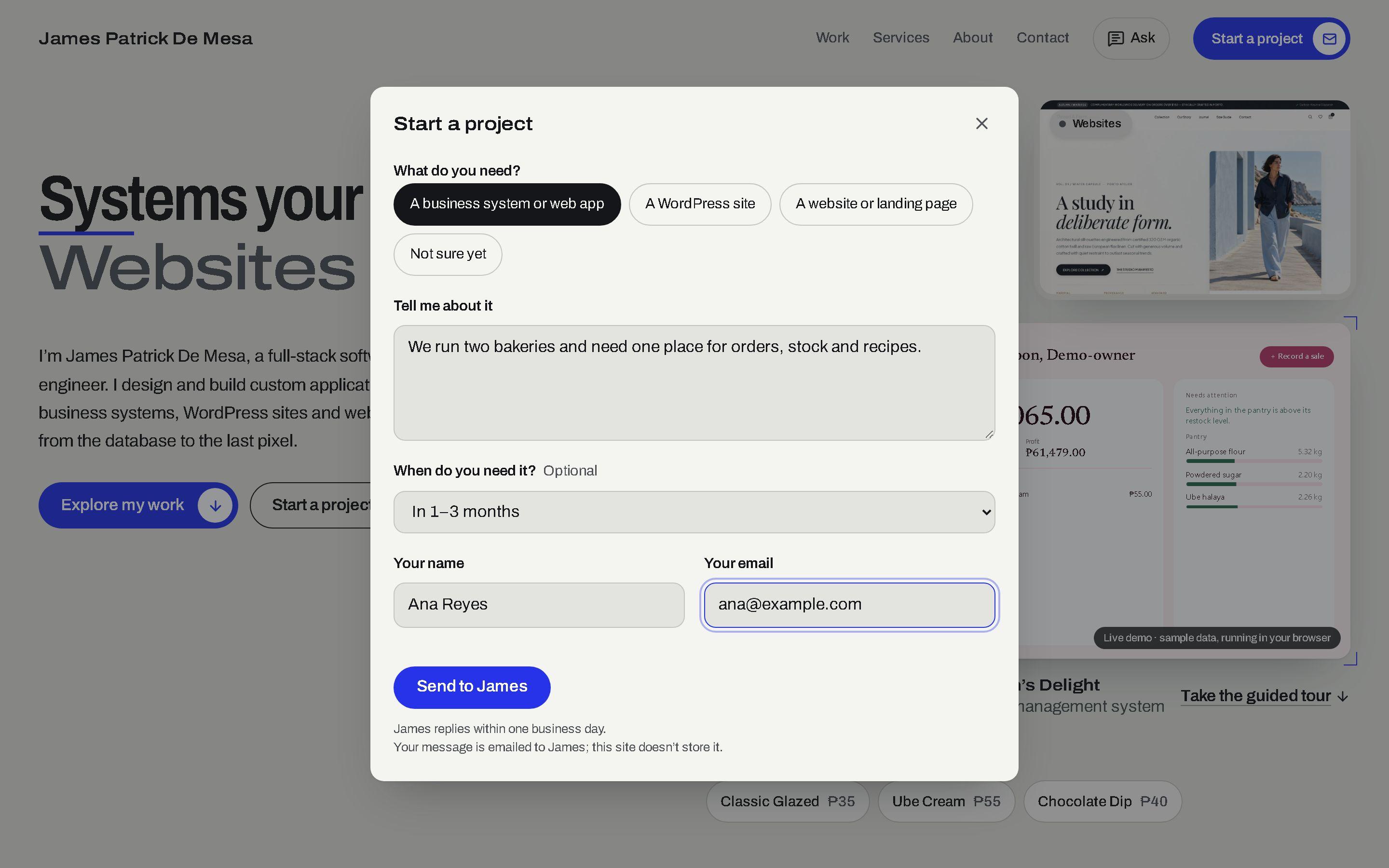
Start a project without a mail app
A short form that emails James with the visitor as the reply address. A half-written message survives closing the form or reloading the page, and if sending fails, the text stays and the address is one tap from being copied.
Following one question through the assistant
An assistant on a public site has two jobs: be useful, and be impossible to turn into something else. A question passes through five parts before its answer appears. Each has one job, and the server can say no at three of them.
Asked in the browser
The question, up to 300 characters, and the last few turns of the conversation go to this site’s own server. The browser never talks to the AI directly, and the AI key never reaches it.
- The visitor’s browser
Is it from this site?
The server checks that the request came from this site’s own pages. Requests from anywhere else are refused before anything else runs, so another website’s pages cannot call it.
- This site’s server
Within the limits?
Each visitor has a short-term and a daily allowance, and the site has one for the day. One round trip to the counter store checks and counts them all. A visitor over their own limit stops there, and never uses up anyone else’s share.
- This site’s server
- The counter store
Answered from the site only
The model receives the site’s own content and strict rules: never state a price, never claim client work, speak about James in the third person, answer in the visitor’s language. A fast model answers; a second steps in only if the first is overloaded or returns no answer, and both share one time limit.
- This site’s server
- The AI model
Checked before it is shown
The answer has to come back as structured data: the text, and at most two suggested actions. Each action is checked against the site’s real sections, demos and projects, and anything else is dropped, so a visitor is never sent somewhere that does not exist.
- This site’s server
The page acts
The visitor sees the answer, with buttons that scroll to a section, open a project, bring up a live demo or start the project form with a first line already written.
- The page
How it is put together
1. Browser
Static pages. The live demos run here, on sample data, and send nothing anywhere.
2. Vercel
Serves the pages from its edge network and runs the two server routes.
3. Server routes
One for questions and one for project messages. Each checks where a request came from, what it contains and whether it is within its limits.
4. Upstash Redis
Keeps the counters behind those limits. Checking and counting take one round trip per request.
5. Gemini
Writes the assistant’s answers from the site’s content. A second model steps in only when the first is overloaded or returns no answer.
6. Resend
Delivers project messages to James’s inbox, with the visitor as the reply address.
Pages that are already built
Every page is built ahead of time and served as a file, so it loads fast. Apart from resizing images, only the two server routes run code, and only when someone uses them.
Readable by people, search engines and AI
Each page describes itself in structured data, and a plain-text map of the site at /llms.txt is written for language models. The assistant reads that same summary, so it knows only what the site says.
How it is tested
- More than 300 automated end-to-end tests run against the built site, in a desktop browser and a phone browser, before every release.
- During tests, small local stand-ins replace Gemini and Resend, so every failure (an overloaded model, an answer that is not valid, an email that is refused) is tested without calling either service.
- Every feature is read by a fresh reviewer before it ships, and the assistant is checked with real questions against the real model before each release. Real answers arrive in about two seconds.
What it does not do yet
- Answers arrive whole, not word by word.
- The assistant runs on a free tier with a daily allowance. On a very busy day it says so and offers James’s email instead.
- It knows only what is on this site, and declines questions about anything else.
- The project form needs its email service to be set up. When it is not, the form says so as soon as it opens and offers the address instead.
- Questions asked to the assistant are not kept, so there is no history of past questions to learn from.